
 GIF
GIFBright Hello
Funny first-look greeting
Remix a template, change the expression, preview the typing animation, and export PNG, GIF, or MP4.

Create authentic Flowery Deltarune dialogue boxes
Quick Scenes
Remix a finished Flowery Deltarune scene, then tweak the line.
Flowery Expressions
Click a face to replace the portrait. The preview updates immediately.
Pick a portrait, then fine-tune the expression below.
Expression changes update the live preview immediately.
Quick Export
MP4 stays separate below so video export can keep sound.
Featured Scenes
Start from a greeting, reaction, battle intro, or talking clip. Remix loads the template into the editor on this page.
GIFFunny first-look greeting
 PNG
PNGShort surprise beat
 GIF
GIFBattle-style intro line
 PNG
PNGUneasy Dark World beat
 PNG
PNGCharacter interaction line
 PNG
PNGMeme-ready confusion take
 PNG
PNGQuiet reaction still
 GIF
GIFGIF/MP4 typing-sound scene
This is not a generic caption maker and not a Flowery voice archive. It is a Flowery-first Dark World scene editor: the page opens on Flowery, loads a finished greeting, and keeps remix, expression, typing preview, and export on the same URL.
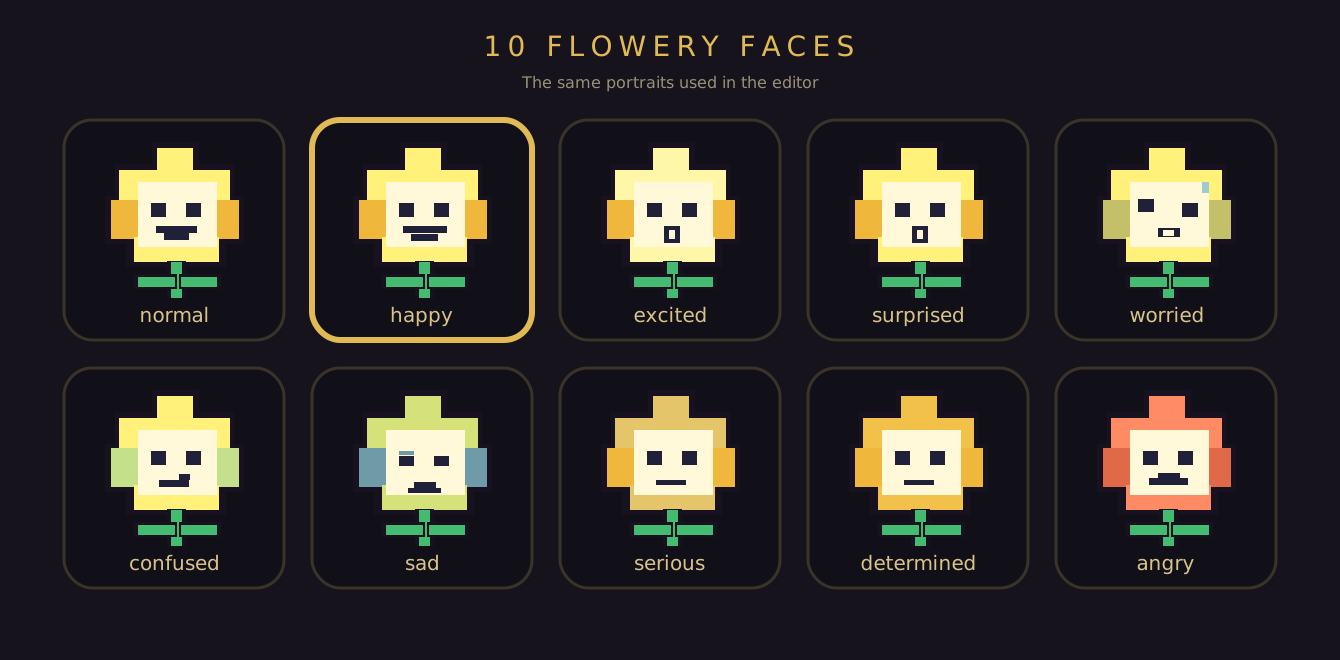
The portrait row is Flowery only — happy, angry, sad, surprised, worried, confused, and the rest of the ten-face set. Click a face and the gold Dark World box updates immediately, so the line and the expression stay in the same beat.
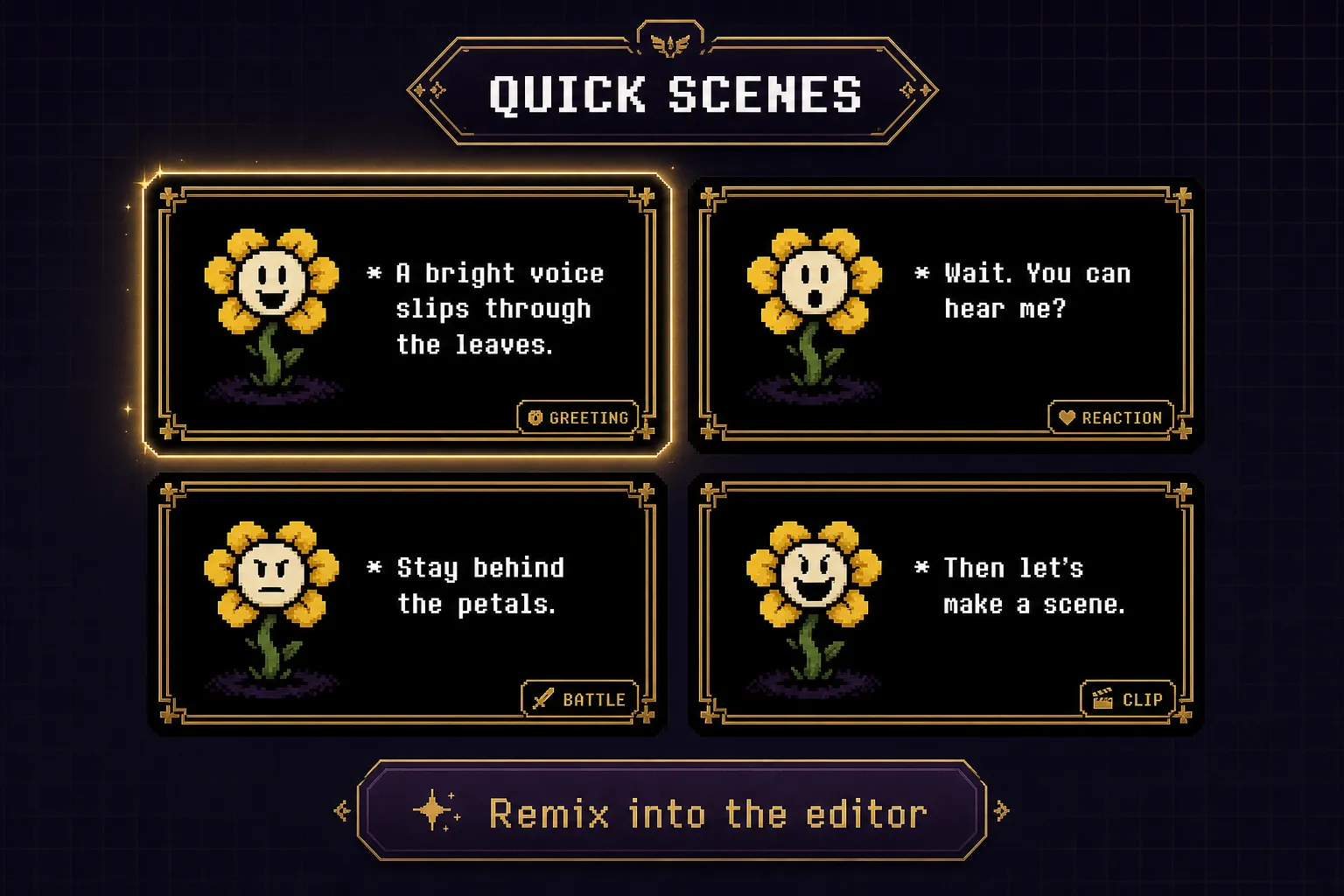
Greeting, reaction, battle warning, and talking-clip templates already have Flowery, the gold border, and a usable line. Remix drops that scene into the editor on this page so you rewrite one beat instead of rebuilding the box.
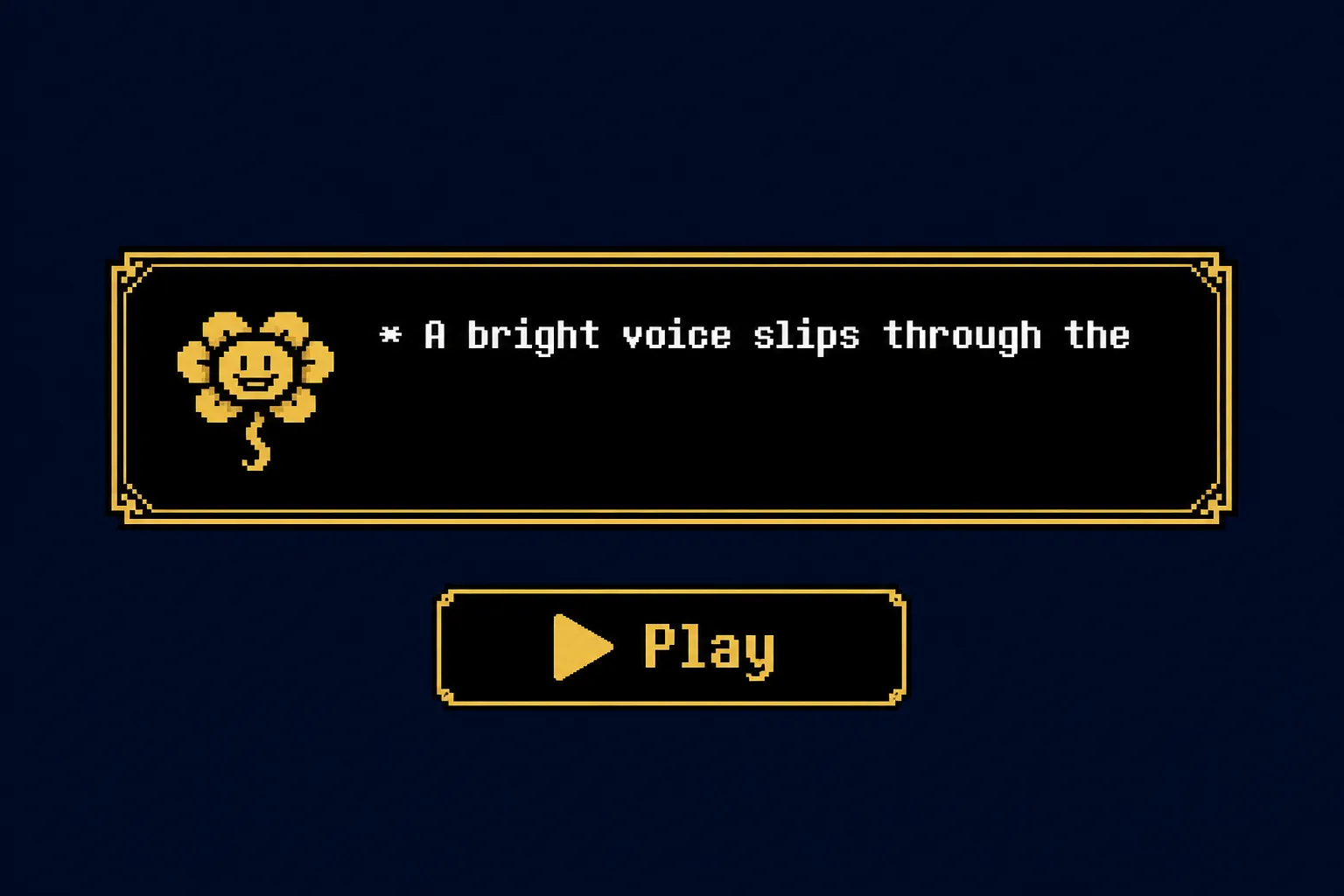
Press Play to preview the reveal before you export. Preview, GIF, and MP4 share the same visible-character timeline, so color codes like \petal do not add extra pauses and the beat you see is the beat you download.
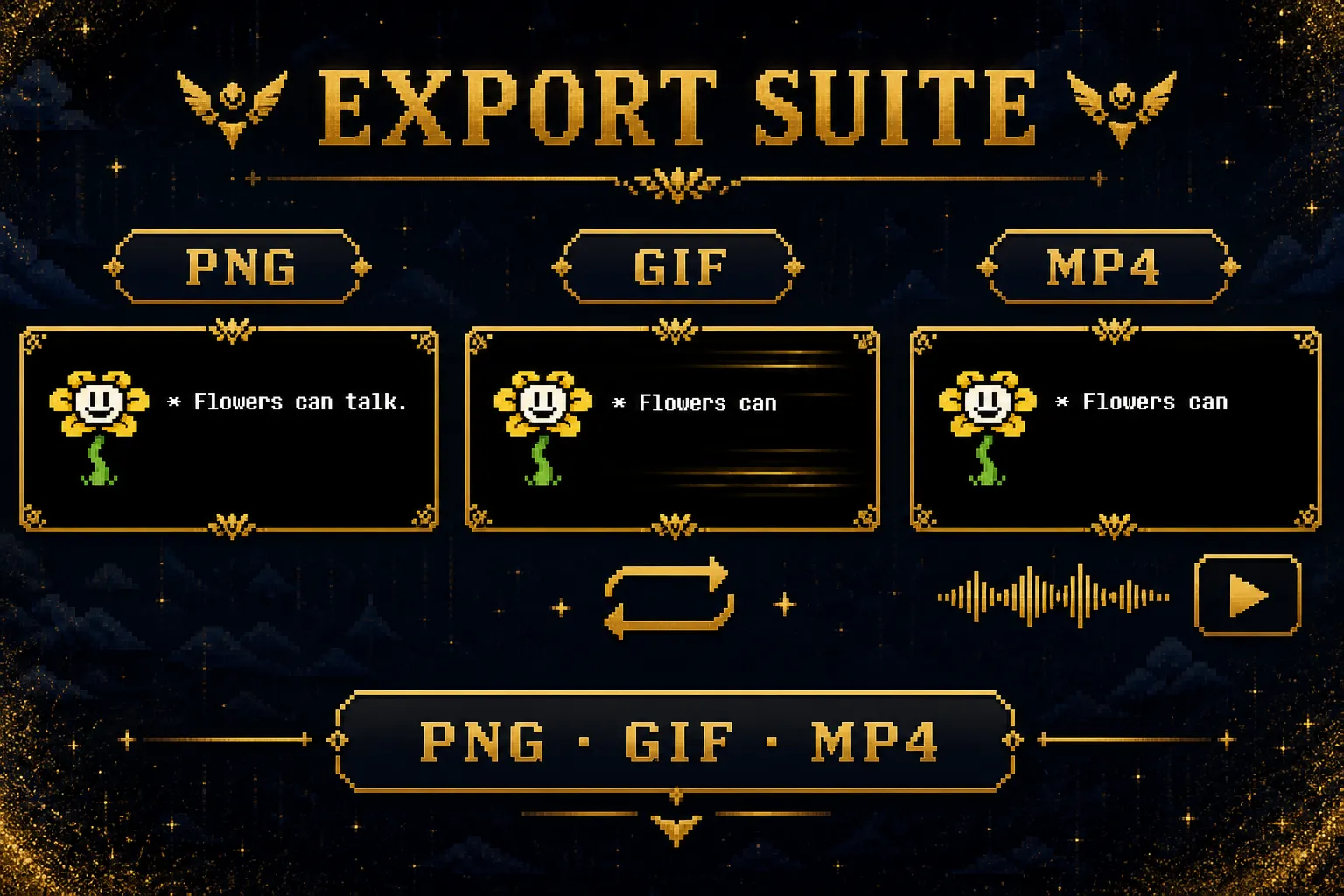
PNG for a still reply, GIF for a silent looping reveal, MP4 when the typing sound should travel with the clip. All three keep the same Flowery portrait and gold Dark World frame.
Create a shareable Flowery Deltarune text box in 4 steps:
Flowery is already selected. Remix a Quick Scene if you want a different beat.
Rewrite the dialogue. Use flower colors like \petal, \pollen, \bloom, and \stem.
Click a Flowery face in the expression row. The preview updates immediately.
Download PNG for a still, GIF for a silent loop, or MP4 when the typing sound should travel with the clip.
Everything you need to make a Flowery Deltarune dialogue scene in the browser.
No character hunt. The editor opens on Flowery with a finished Dark World scene already loaded.
Happy, angry, sad, surprised, and more. Click a face to replace the portrait.
Greetings, reactions, battle intros, and talking clips load into the same editor.
Use \petal, \pollen, \bloom, and \stem to color a word without leaving the line.
Play the text reveal before you export, with the same pacing used in GIF and MP4.
Stills for posts, silent loops for replies, and sound-on clips for Shorts or Discord.
Short answers for Flowery Deltarune searches, scene making, expressions, and exports.
Want Kris, Susie, or Ralsei in the same editor family? Use the Deltarune text box generator.
Open the editor, remix a Quick Scene, and export PNG, GIF, or MP4 for free.