The main Undertale text box generator already works for Deltarune scenes, but the dedicated Deltarune text box generator is faster because it opens with the right vibe baked in.
You get a Deltarune border preset, a Kris-first starting scene, and the sprite picker already aimed at the Dark World side of the tool. Less setup, more making.
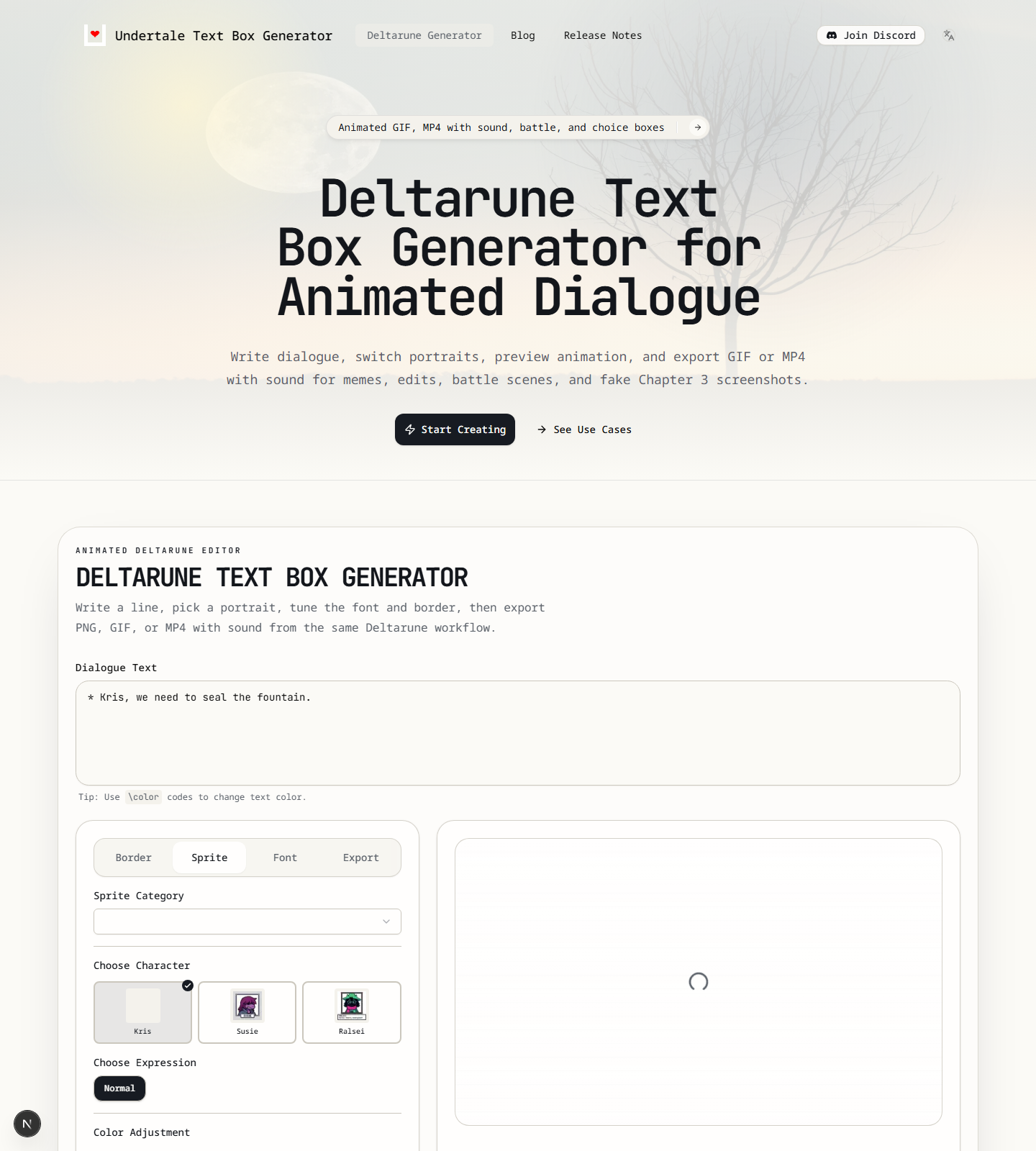
This is the actual Deltarune editor view in the current project:
When to Use the Deltarune Page Instead of the Homepage
Use the dedicated page when you want:
- Kris, Susie, or Ralsei scenes
- A Deltarune-style border by default
- Dark World flavored dialogue styling
- GIF or MP4 exports that feel closer to a cutscene than a static meme
Open the Deltarune generator if your target is a fake chapter screenshot, a battle intro, or a short animated scene.
Why Use a Deltarune Text Box Generator Instead of the Main Undertale Editor
People search for a Deltarune textbox generator when they do not want to spend the first minute fixing defaults.
That is the whole point of this page. It starts closer to the result you actually want: Dark World tone, the right border style, and character choices that already lean Kris, Susie, and Ralsei.
If you are just making a general meme, the homepage is fine. If you want the scene to feel like it belongs inside Deltarune, start here.
What Loads by Default
The current Deltarune experience starts with:
- A Kris dialogue preset
- The Deltarune border style
- The sprite tab ready first
- Export naming and saved state separated from the Undertale homepage flow
That separation is useful if you make both Undertale and Deltarune content regularly. Your browser keeps them from turning into one messy preset pile.
Fast Deltarune Workflow
1. Start with the Scene, Not the Effect
Write the exact moment you want to fake.
Good Deltarune lines are short, pointed, and loaded with tone. If the scene idea is weak, no border setting is saving it.
Example:
* Kris, we need to seal the fountain.That is close to the built-in default for a reason. It immediately reads as a real Deltarune setup instead of generic fantasy dialogue.
2. Swap the Speaker
The built-in Deltarune character options are currently:
The dedicated page starts with the Deltarune sprite controls already in view, which is exactly why it is faster than the generic homepage flow:
- Kris
- Susie
- Ralsei
If one of those covers your scene, great. Use the built-in portrait and move on.
If you need a Chapter 3 concept, a fan character, or a custom sprite, switch to custom upload. That is the practical move right now.
3. Turn on the Right Text Feel
The Font tab includes a Text Style option with Regular and Dark World.
If you want a quick visual benchmark for how much font choice changes the mood, this is the kind of difference the current generator can produce:
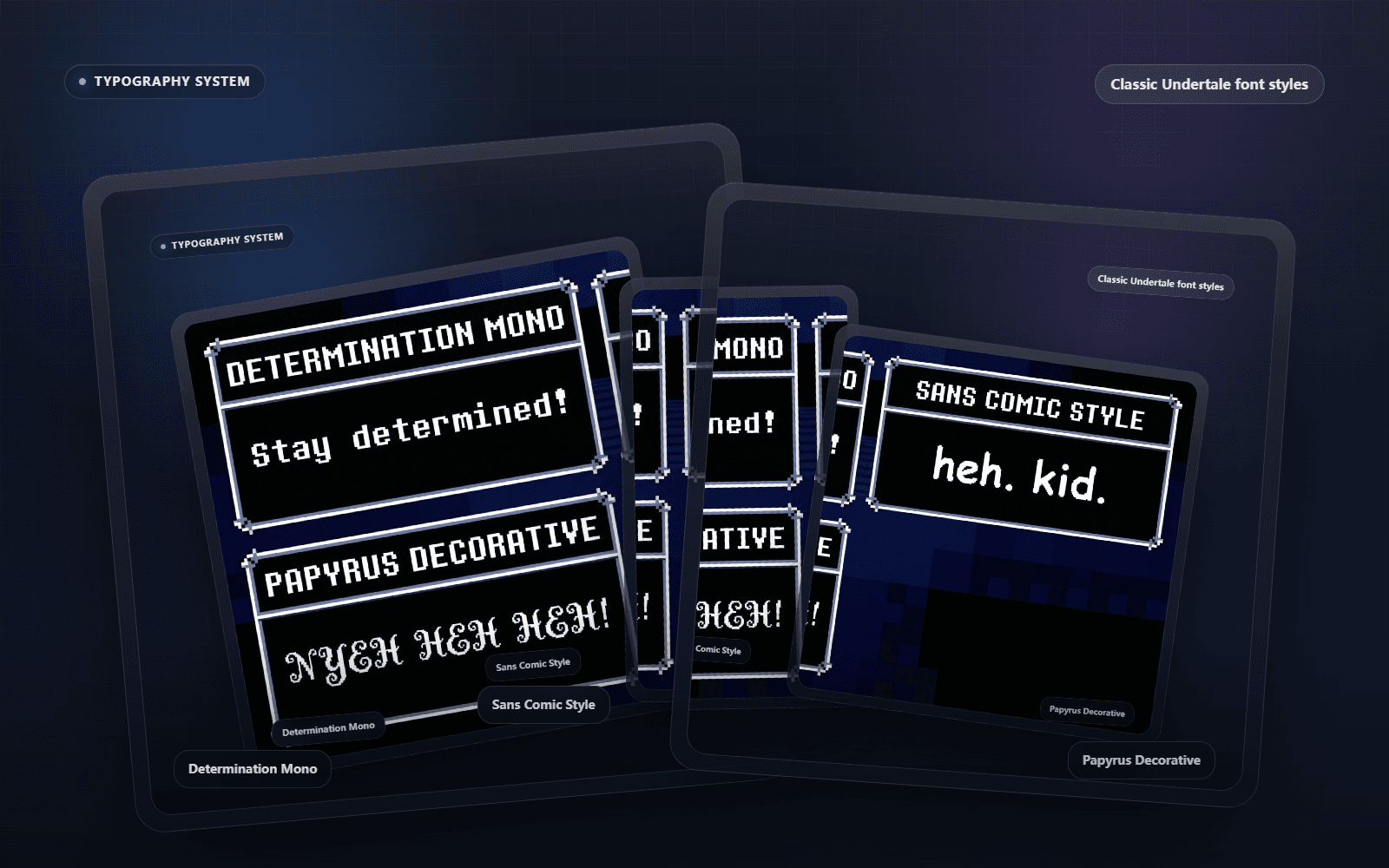
If you are making a true Deltarune scene, test Dark World early. It gives the text a more fitting feel than trying to simulate the same effect through border color alone.
Then clean up:
- font size
- letter spacing
- case transform
Small changes here go a long way.
4. Use Animation on Purpose
Deltarune content benefits more from motion than static Undertale joke boxes do.
That is why the typing preview matters more on this page than people expect:
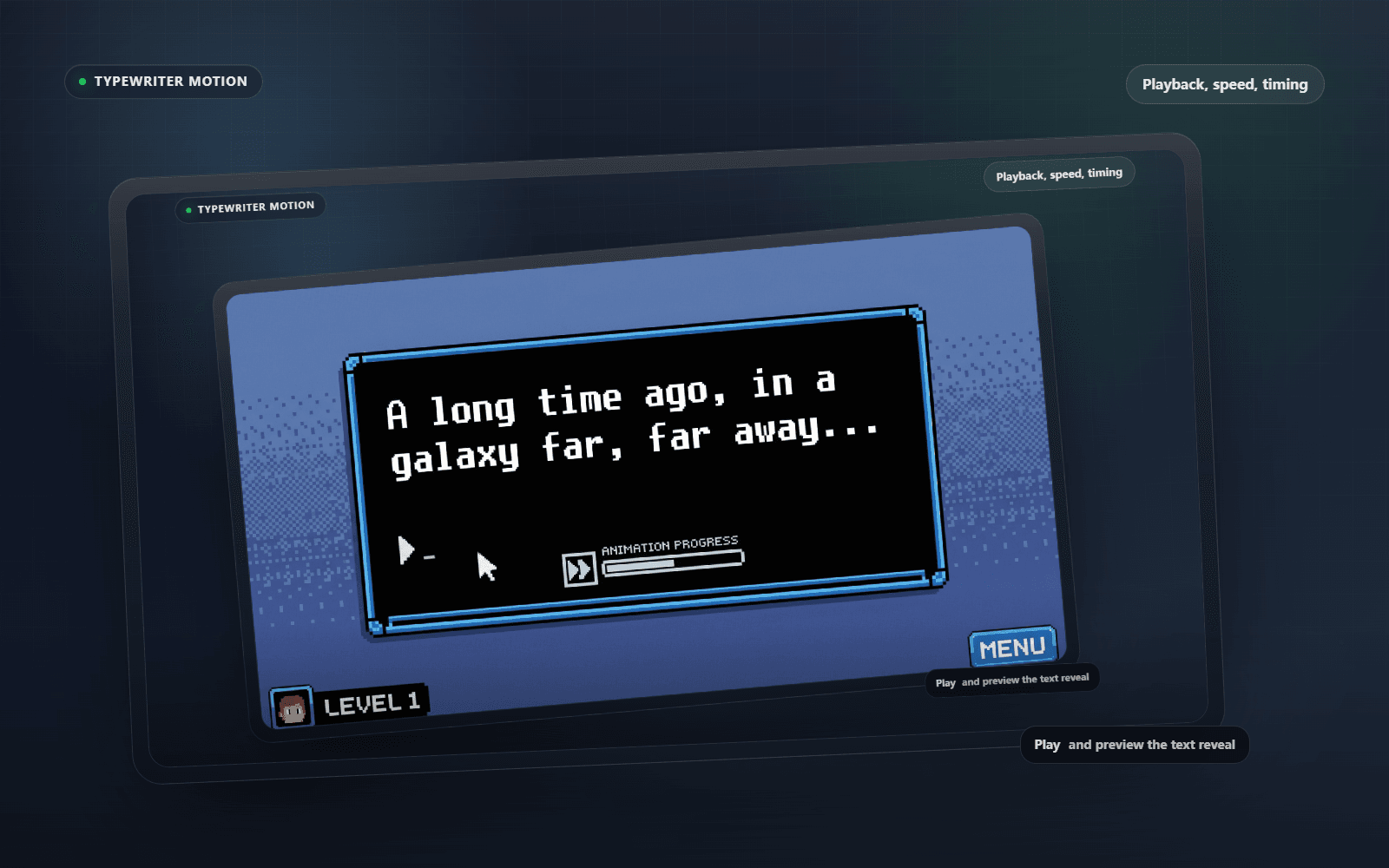
Hit Play and watch the typing rhythm. If it drags, the sentence is too long. If it lands too fast, the line may need a stronger final word.
Software is funny like that. You think you are tweaking a button. Really you are editing comedic timing.
5. Choose GIF or MP4 Based on Distribution
Use GIF if the animation itself is the point and you want a looping reaction post.
The current export layer is already set up for PNG, GIF, and MP4 output:
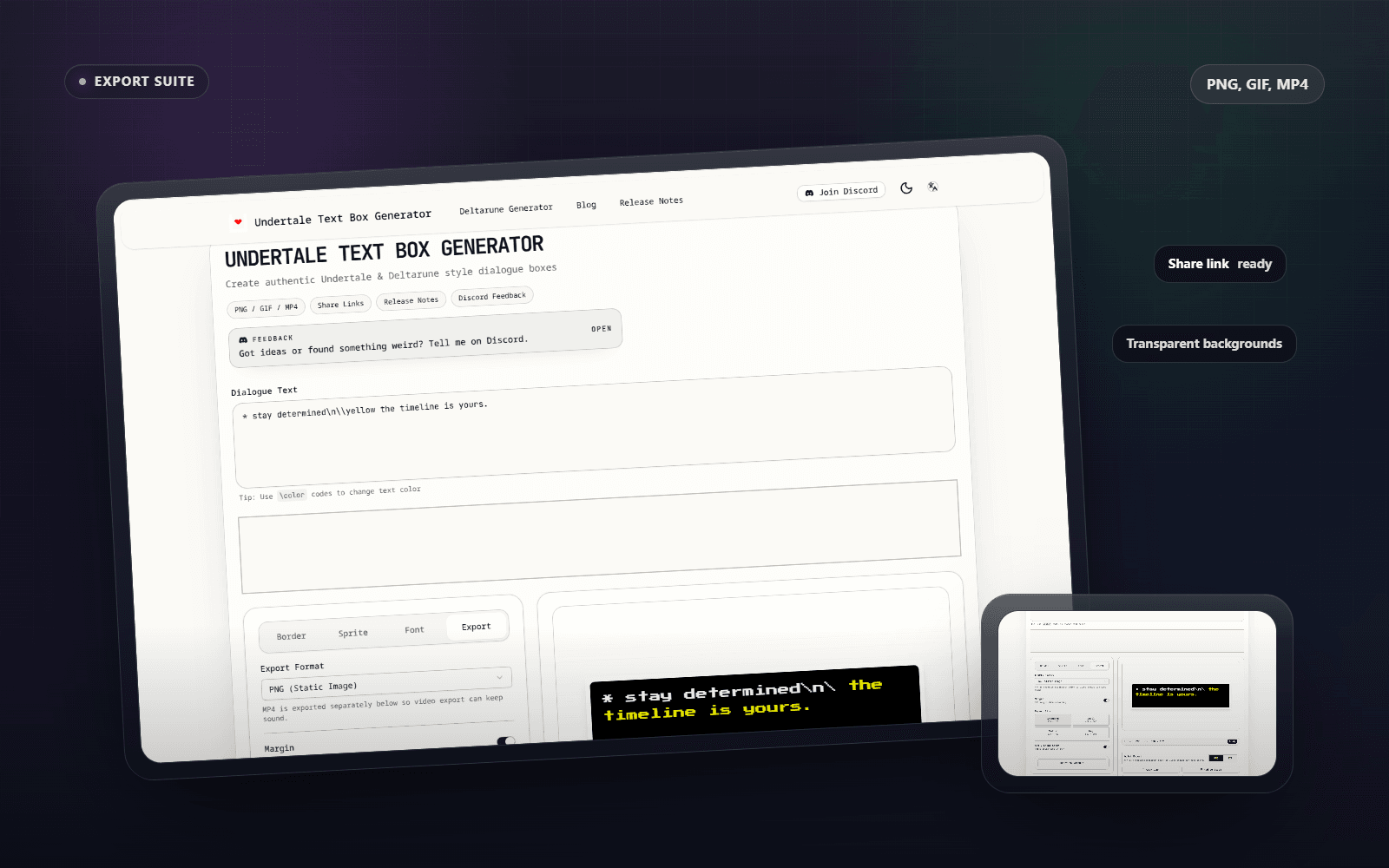
Use MP4 if you want:
- typing sound
- smoother reposting to social platforms
- a clip for fan edits
- a better asset for video timelines
The MP4 export path is separate from image export on purpose. It keeps the audio workflow intact.
How to Make a Deltarune Text Box with Sound
This is one of the clearest reasons to use the dedicated page.
If you want a Deltarune text box generator with sound, build the scene normally, preview the pacing with Play, then use the MP4 export path instead of GIF. GIF is for motion only. MP4 is for motion plus typing audio.
That sounds obvious, but it saves people from exporting the wrong thing and then wondering where the sound went.
How to Make Animated Deltarune Dialogue for GIF or MP4
An animated Deltarune dialogue clip works when the timing and the last word land together.
Use GIF when you want a looping reaction. Use MP4 when the scene should feel closer to a fake cutscene, fan edit, or Chapter mockup that benefits from sound.
If the line feels slow in preview, do not fix it by throwing settings at it. Shorten the sentence. Dialogue timing is writing first, export second.
Best Use Cases for the Current Deltarune Setup
Right now, the Deltarune page is best at:
- fake cutscene lines
- battle intros
- route jokes
- reaction clips
- fan chapter mockups
It is less about making a giant branching dialogue system and more about producing one convincing scene fast.
That is a good trade. Most people do not need an editor with twenty confusing panels. They need one output that looks right.
A Realistic Limitation to Know
The Deltarune-specific built-in portrait set is still narrower than the overall border and styling system. That means the dedicated page is strongest when:
- your speaker is Kris, Susie, or Ralsei, or
- you are willing to upload custom art
That is not a blocker. It just tells you when to use the custom sprite route instead of hunting for a portrait that is not there.
Quick Answers People Usually Need
Is this page different from the main Undertale text box generator?
Yes. The main editor can still make Deltarune-style scenes, but this page gets there faster because the preset, border, and sprite flow already lean Deltarune.
Can I use this as a Deltarune dialogue generator for GIF posts?
Yes. That is one of the cleanest use cases. Write the line, preview the animation, and export GIF when the loop is the point.
What if I need a Deltarune text box generator with sound?
Use MP4, not GIF. The MP4 path is the one that keeps the typing audio attached to the scene.
What if I want Undertale and Deltarune styles in the same project?
Start on the homepage for general Undertale work, then switch to the dedicated Deltarune page when the scene should look Dark World-specific. Keeping the two flows separate makes the presets less messy.
If You Only Need One Recommendation
Use the homepage for general Undertale memes and dialogue boxes.
Use the Deltarune page when the scene should feel like it belongs in the Dark World and you want GIF or MP4 output to carry the moment.
That gets you 90% of the way there without overthinking it.
Related Guides
If you want to build a complete short scene instead of a single example box, read Deltarune Fan Scene Workflow for Text Box Clips.
If you are deciding whether the finished scene should be PNG, GIF, or MP4, use Undertale Text Box Export Formats: PNG, GIF, or MP4.